


How to Use Google Ads to Drive Targeted Traffic to Your Business
You've got a great business. But if the right customers can't find you online, you're leaving serious money on the table. Google Ads is one of the most powerful tools available to put your business directly in front of people who are already searching for exactly what you offer — at the exact moment they're ready to act.
With over 3.5 billion searches happening on Google every single day, the opportunity to reach your ideal customer has never been greater. The key is knowing how to use Google Ads the right way.
Here's your straightforward guide to making Google Ads work for your business.
Why Google Ads Is Worth Your Advertising Budget
Before diving into the how, let's talk about the why. Google Ads consistently outperforms many other advertising channels for one simple reason — intent. You're not interrupting someone scrolling through their social media feed. You're showing up precisely when they're actively looking for what you sell.
Here's what makes Google Ads stand out:
- Precision Targeting — Reach the right customers based on what they're searching for, where they are, what device they're using, and even what time of day it is.
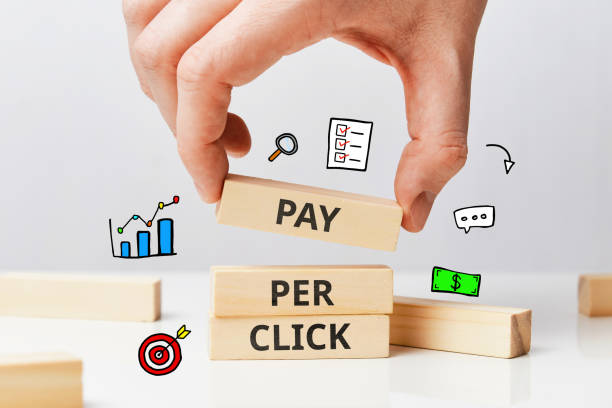
- You Only Pay for Results — Google Ads operates on a pay-per-click (PPC) model, meaning you only pay when someone actually clicks your ad — not just for exposure.
- Full Budget Control — Set daily spending limits so you never go over budget, no matter what.
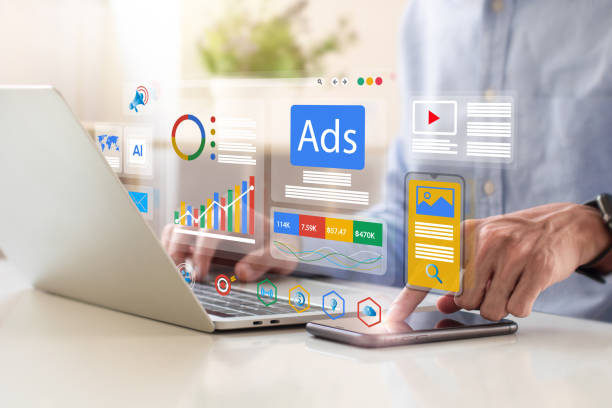
- Real-Time Data — Track exactly what's working with detailed analytics covering clicks, impressions, and conversions — and adjust on the fly.
The Three Types of Google Ads and When to Use Each
Search Ads
Search ads are the text-based ads that appear at the top of Google search results when someone types in a relevant keyword. These are the bread and butter of Google Ads — and for good reason.
Best for: Capturing customers who are actively searching for your product or service and are ready to take action.
- Show up at the very top of search results before organic listings.
- Reach high-intent customers at the exact moment they need you.
- Enhance your ads with extensions like phone numbers, location info, and site links to give customers more reasons to click.
Display Ads
Display ads are visual banner ads that appear across millions of websites, apps, and online platforms within Google's Display Network.
Best for: Building brand awareness and staying top of mind with your target audience as they browse the web.
- Reach potential customers across millions of websites and apps.
- Use eye-catching visuals, banners, and graphics to grab attention.
- Target users based on their demographics, interests, and online browsing behavior.
Video Ads
Video ads appear on YouTube — the world's second-largest search engine — and across Google's video partner network.
Best for: Telling your brand story, demonstrating your product or service, and engaging audiences who respond well to visual content.
- Capture attention with compelling video content that builds trust and brand recognition.
- Choose from skippable ads, non-skippable ads, or short bumper ads depending on your campaign goal.
- Reach a massive, highly engaged audience on YouTube.
How to Build a Google Ads Campaign That Actually Works
Step 1: Start With Smart Keyword Research
Your entire Google Ads campaign is built on the keywords you choose. Get this right and everything else falls into place.
- Use Google Keyword Planner to find the search terms your customers are actually using.
- Focus on long-tail keywords — longer, more specific phrases like "affordable HVAC repair in San Antonio" that have strong buying intent and less competition than broad terms.
- Think like your customer. What would you type into Google if you needed your own product or service?
Step 2: Write Ad Copy That Connects
You have a fraction of a second to grab a potential customer's attention in a search result. Your ad copy needs to be clear, relevant, and compelling enough to earn the click.
- Speak directly to your customer's problem or need.
- Highlight the specific benefit of choosing your business over the competition.
- Always include a strong, clear call-to-action (CTA) — "Get a Free Quote," "Call Us Today," "Book Now."
Step 3: Make Sure Your Landing Page Delivers
Getting the click is only half the job. Where you send people after they click your ad is just as important as the ad itself.
- Your landing page should directly match the message and offer in your ad — no bait and switch.
- Keep the design clean, the content focused, and the CTA prominent.
- Remove distractions and make it as easy as possible for visitors to take the next step.
The Metrics That Tell You If Your Campaigns Are Working
Once your campaigns are live, these are the key numbers to watch:
- Click-Through Rate (CTR) — The percentage of people who see your ad and click it. A low CTR usually means your ad copy needs refinement.
- Conversion Rate — The percentage of clicks that turn into leads, calls, or sales. A low conversion rate often points to a landing page issue.
- Quality Score — Google's rating of your ad's relevance and performance. A higher Quality Score means better ad placement at a lower cost — a win-win.
Advanced Strategies to Get Even More From Your Budget
Once your campaigns are running, these advanced tactics can significantly boost your results:
- Remarketing — Re-engage people who visited your website but didn't convert. These are warm leads who already know your business — sometimes they just need a second nudge.
- Lookalike Audiences — Expand your reach by targeting new users who share similar characteristics to your best existing customers.
- Geographic Targeting — Focus your budget on the specific cities, regions, or neighborhoods where your best customers are located — especially powerful for local businesses.
How to Manage Your Google Ads Budget Wisely
One of the biggest concerns small business owners have about Google Ads is cost. Here's how to make sure every dollar is working as hard as possible:
- Set a Daily Budget — Decide upfront how much you're comfortable spending each day and let Google stay within that limit.
- Choose the Right Bidding Strategy:
- Manual Bidding — You set bids for individual keywords. More control, more time investment.
- Automated Bidding — Google automatically adjusts bids to maximize clicks or conversions within your budget.
- Smart Bidding — Uses Google's AI to optimize bids in real time based on signals like device, location, and time of day for maximum performance.
- Review and Adjust Regularly — The most successful Google Ads campaigns are ones that are monitored and refined consistently. Small adjustments can make a big difference in performance and cost efficiency.
The Bottom Line on Google Ads
Google Ads is one of the fastest and most reliable ways to drive qualified traffic to your website and grow your business. But like any tool, it works best when it's set up correctly, managed consistently, and optimized over time.
For most small business owners, managing Google Ads campaigns on top of everything else that comes with running a business simply isn't realistic — and a poorly managed campaign can burn through budget without delivering results.
That's where having the right team in your corner makes all the difference.
Ready to Make Google Ads Work for Your Business?
At 88 Digital Marketing, we build and manage Google Ads campaigns that are strategically designed to drive targeted traffic, generate qualified leads, and deliver a measurable return on your investment — without the guesswork.
Contact 88 Digital Marketing today and let's build a Google Ads strategy that puts your business in front of the customers who are ready to buy.